When the widget is in the way
The full widget is a row of buttons in the bottom-right corner: your button, plus a poll button and a reactions button if you use them. That row is wide, and on some sites it sits on top of something that matters, like a Save button, a cookie notice or the last line of a menu.
You can’t move the widget, but you can make it smaller.
What the compact launcher does
With the compact launcher on, the widget rests as one small circle with your chat icon, in your widget’s colour.
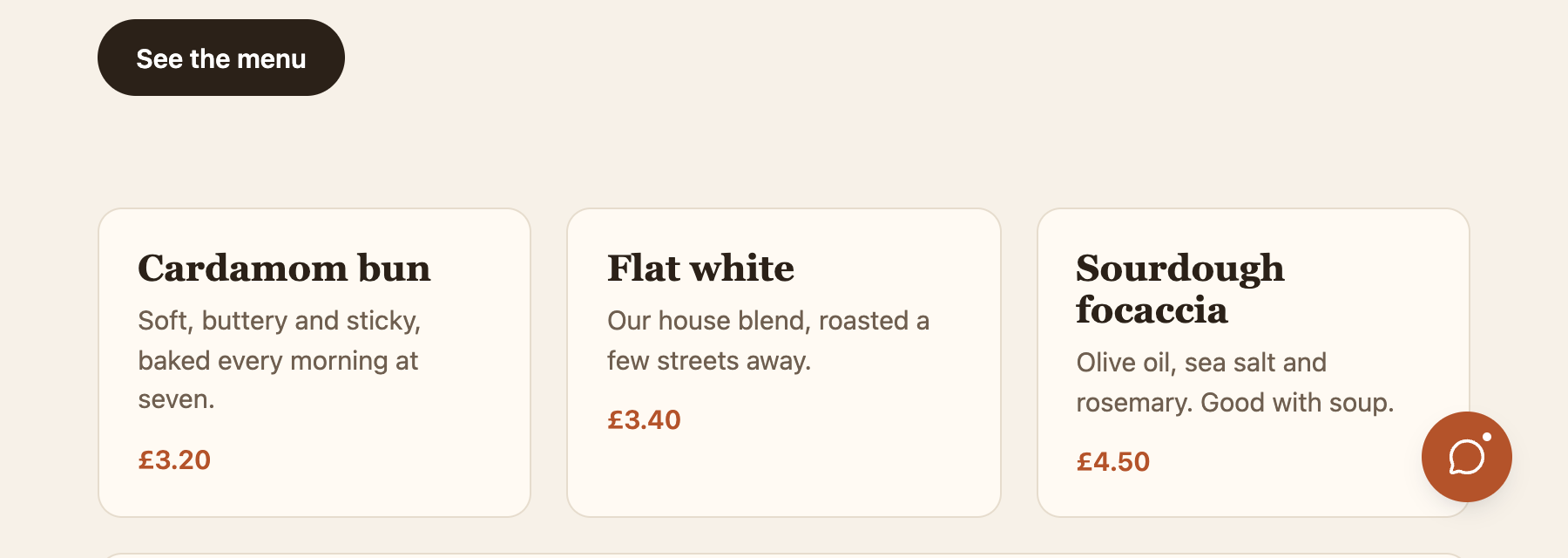 The compact launcher at rest. It covers a fraction of the space the full widget did.
When a visitor points at the circle, it opens into the full row: your button text, and the poll and reactions buttons if you use them.
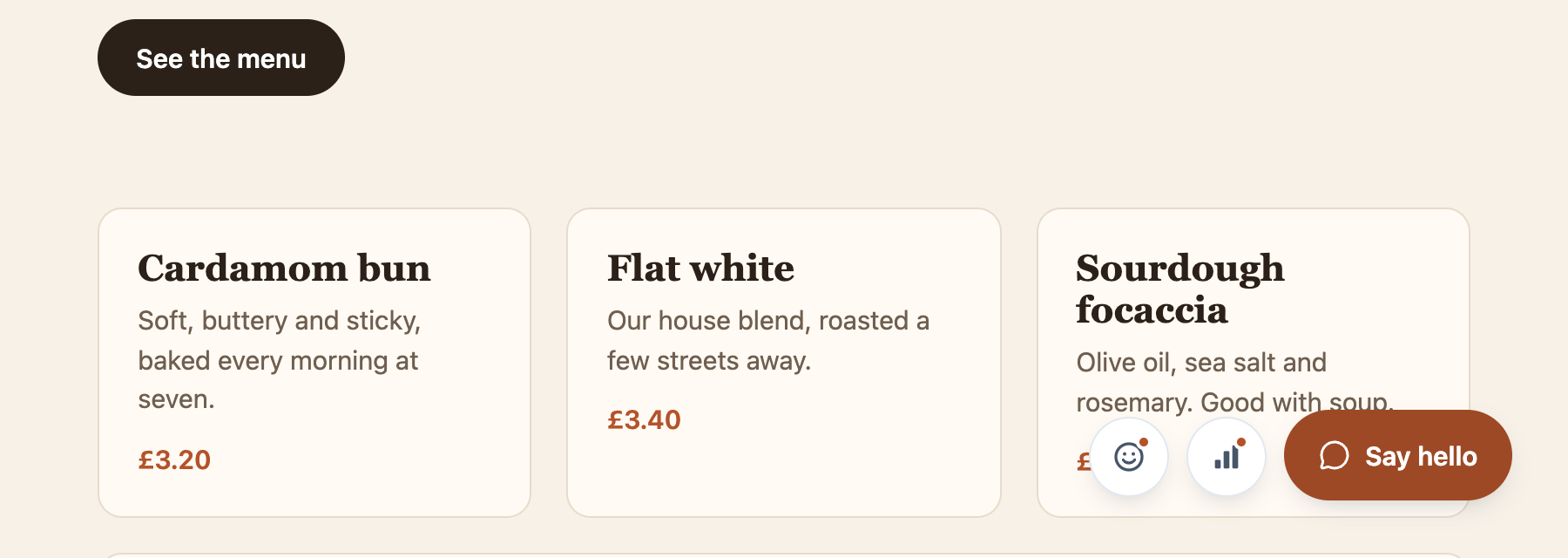 Pointed at, the circle opens into the usual launcher.
When the visitor moves away, it closes again after a moment. It stays open while one of its cards is open, so it never closes under someone who’s in the middle of using it.
If a poll or reactions are available, a small dot on the circle says there’s something inside.
Turn it on
Open your widget and go to Settings. Under Appearance, tick Compact launcher and save.
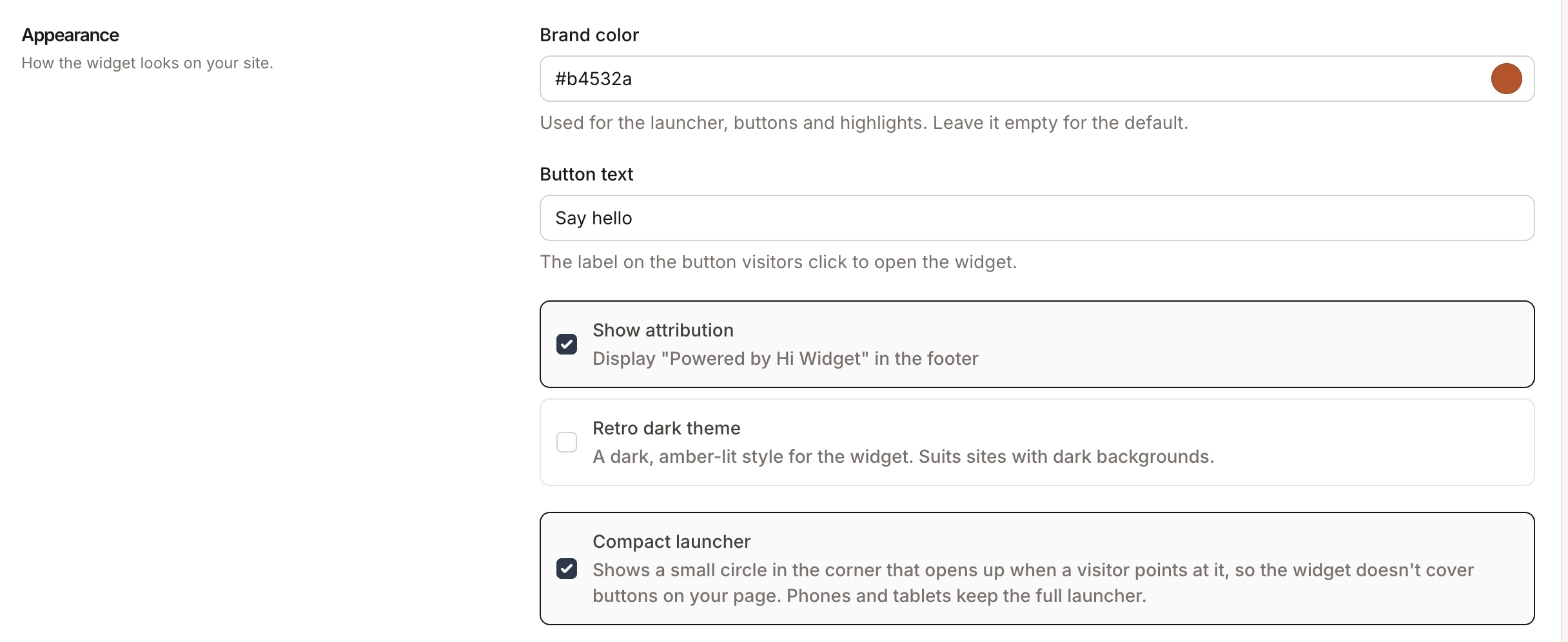 The switch is under Appearance in your widget’s settings.
It’s off by default, so nothing changes on your site until you tick it. Untick it to go back to the full widget.
Phones and tablets
The compact launcher is for visitors with a mouse or trackpad, because it opens when they point. Phones and tablets keep the full launcher, so a visitor on a touchscreen can always reach the poll and reactions in one tap.
Keyboard and screen readers
Tabbing to the circle opens it, so visitors who don’t use a mouse can reach everything. A screen reader announces your button text as the circle’s name, so it’s no less clear than the full button.