How a board works
A board belongs to one of your widget’s forms, usually the feature request form. It holds a list of ideas, each with a status: Suggested, Planned, In progress or Done.
An idea’s votes are the messages linked to it. There’s no separate vote counter to drift out of step: if a message is linked to “Order online for collection”, it’s a vote for it. Spam never counts.
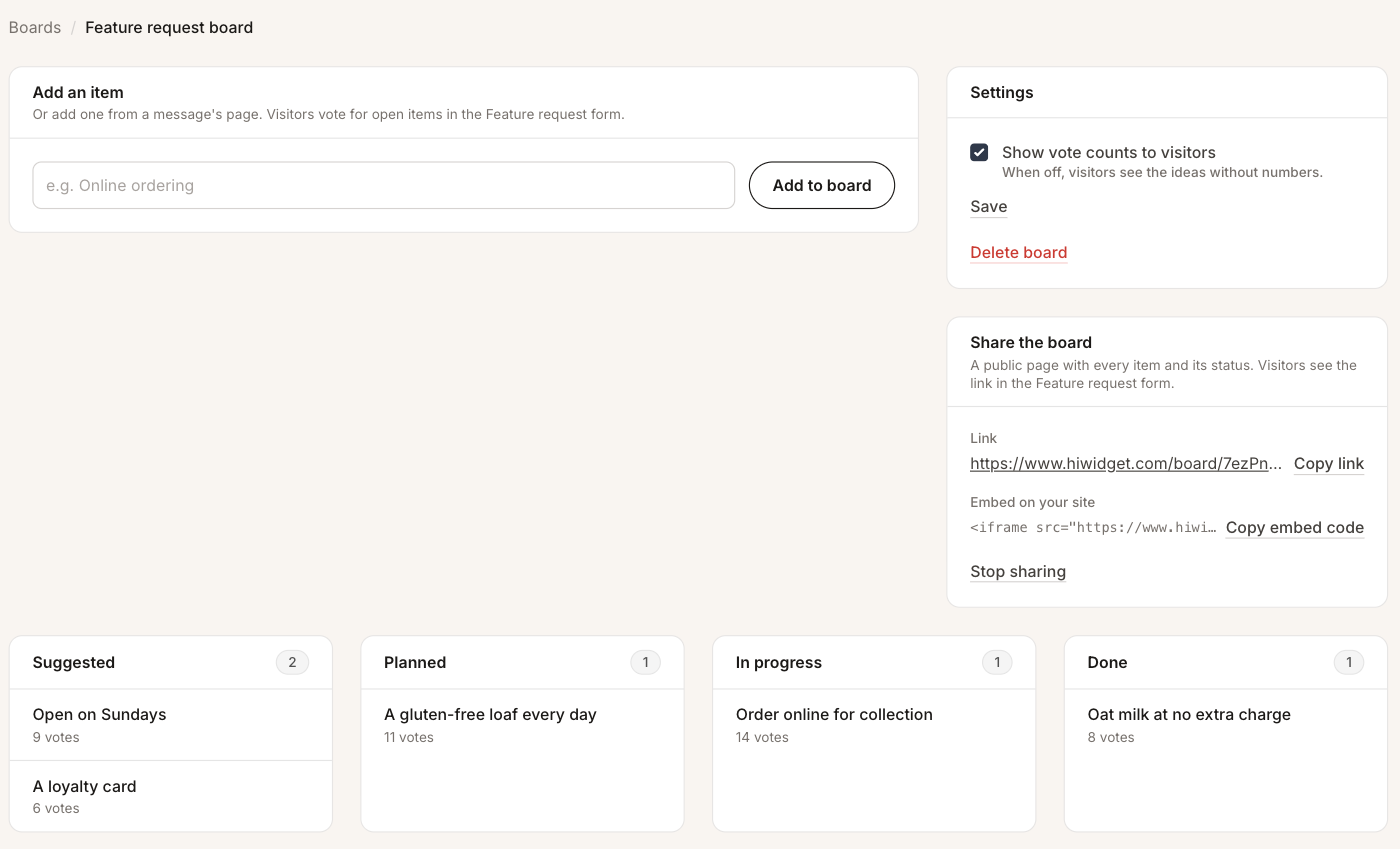 The Board tab: add ideas at the top, change settings and sharing on the right, and see every idea by status below.
Set up a board
Open your widget, go to the Board tab and choose the form the board is for. You can use the feature request form, the issue report form or one of your custom forms. The contact form can’t have a board: people write to it to reach you, not to suggest ideas.
Add ideas
There are two ways to add an idea:
- From a message. When a request arrives, open it. The Add to board card fills in a title from what the visitor wrote. Reword it if you like, then add it. The message becomes the idea’s first vote.
- By hand. Type an idea into Add an item at the top of the board. This is useful for ideas you already know about.
When two ideas turn out to be the same thing, merge them. The messages, and so the votes, move to the idea you keep.
Visitors vote from the widget
Your form in the widget now shows the board’s open ideas, most-voted first. A visitor can pick one and send the form, with or without a comment. That message arrives in your inbox like any other, starting with “Voted for:” and the idea’s name, and it counts as a vote.
Ideas marked Done leave the widget’s list, since there’s nothing left to vote for. They stay on your board and on the public page.
Share the board
Under Share the board, you get a public link and an embed code, the same way as for poll results. The public page shows every idea by status, including what’s done, so customers can see that their requests lead somewhere.
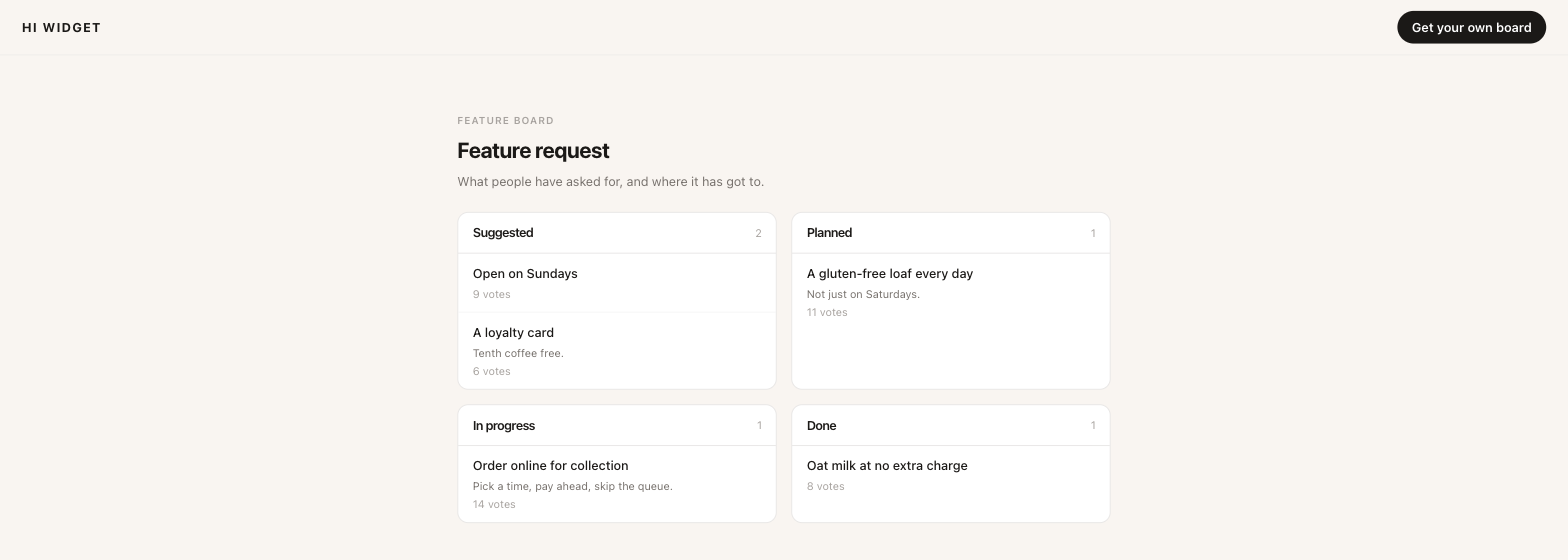 The public board. Vote counts show only if you turn them on.
Turn on Show vote counts to visitors in the board’s settings if you want the numbers on the public page and in the widget. With it off, visitors see the ideas without numbers, which is often better when a board is new and every idea has one or two votes.
Stop sharing turns the link and the embed off at once. Sharing again makes a new link.