Where spam goes now
Your inbox has three tabs: All, Unread and Spam. Messages in Spam stay out of everything else: the inbox, the unread badges, your dashboard counts and charts, and your CSV exports. Your numbers show real enquiries only.
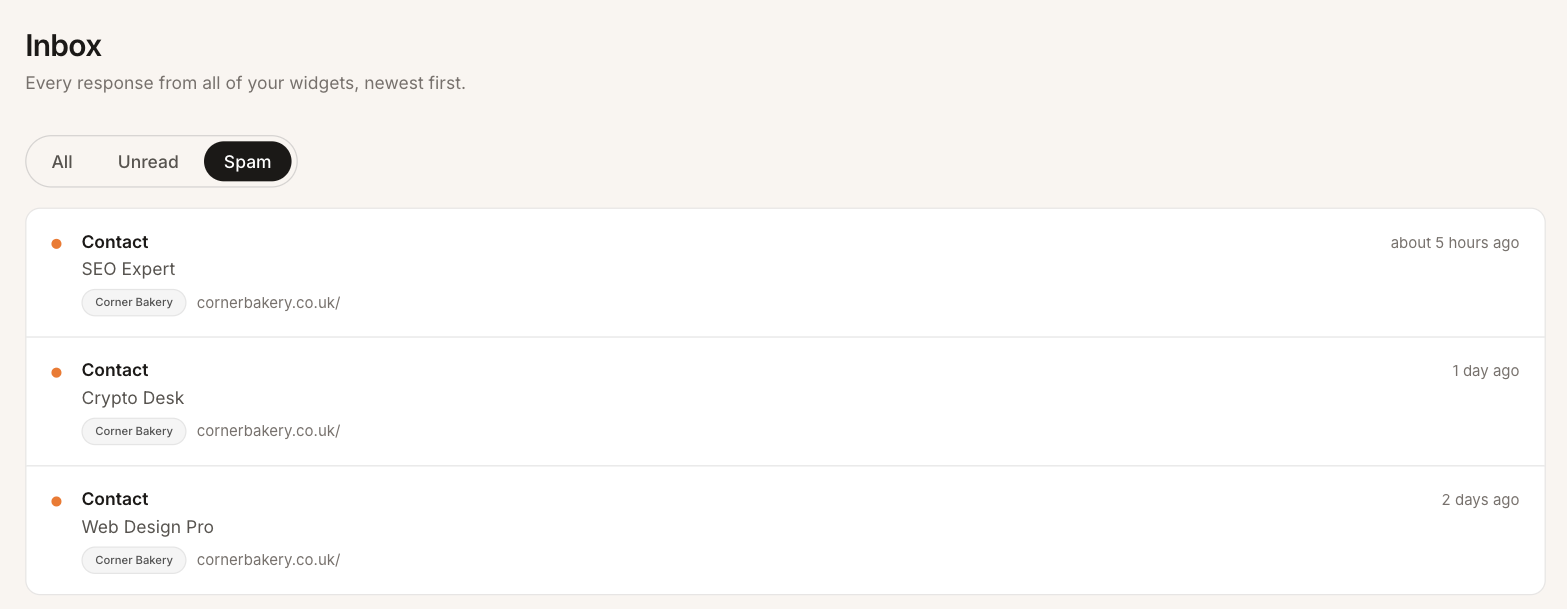 The Spam tab collects everything filtered or marked as spam, from all your widgets.
Messages from bots are filtered for you
Every message sent through the widget goes through a check for automated messages, run by Cloudflare’s Turnstile in the background. There’s no puzzle for your visitors to solve.
A message that fails the check isn’t rejected. It goes to Spam, with a note saying why, and you don’t get an email about it. We file rather than block because some real people fail the check too, for example when a browser extension stops the check from running. Their message still reaches you, and you can move it back.
Mark a message as spam
Anything that gets through, such as a person pasting the same sales pitch into every form they find, can be moved with one click. Open the message and click Mark as spam.
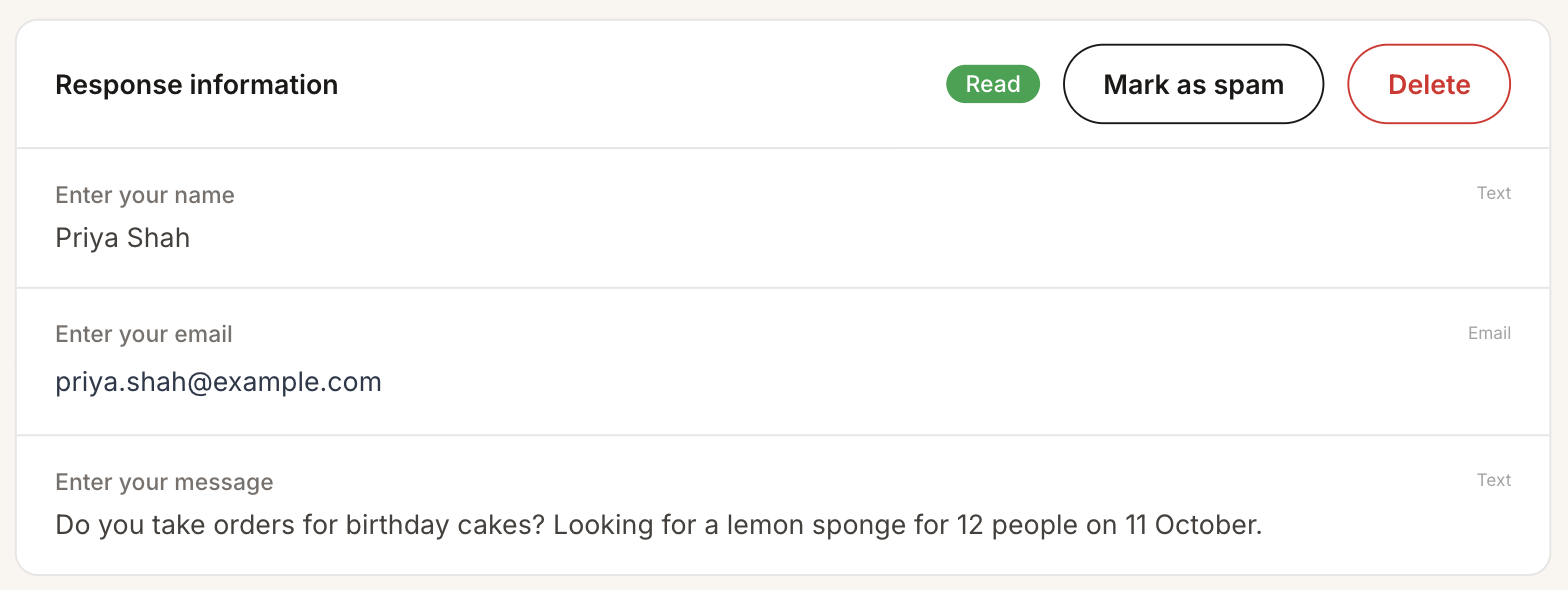 Mark as spam is next to Delete on every message.
Get a message back
Open the message from the Spam tab. A note at the top says why it’s there. Click Not spam and it goes back to your inbox as unread, so you don’t miss it.
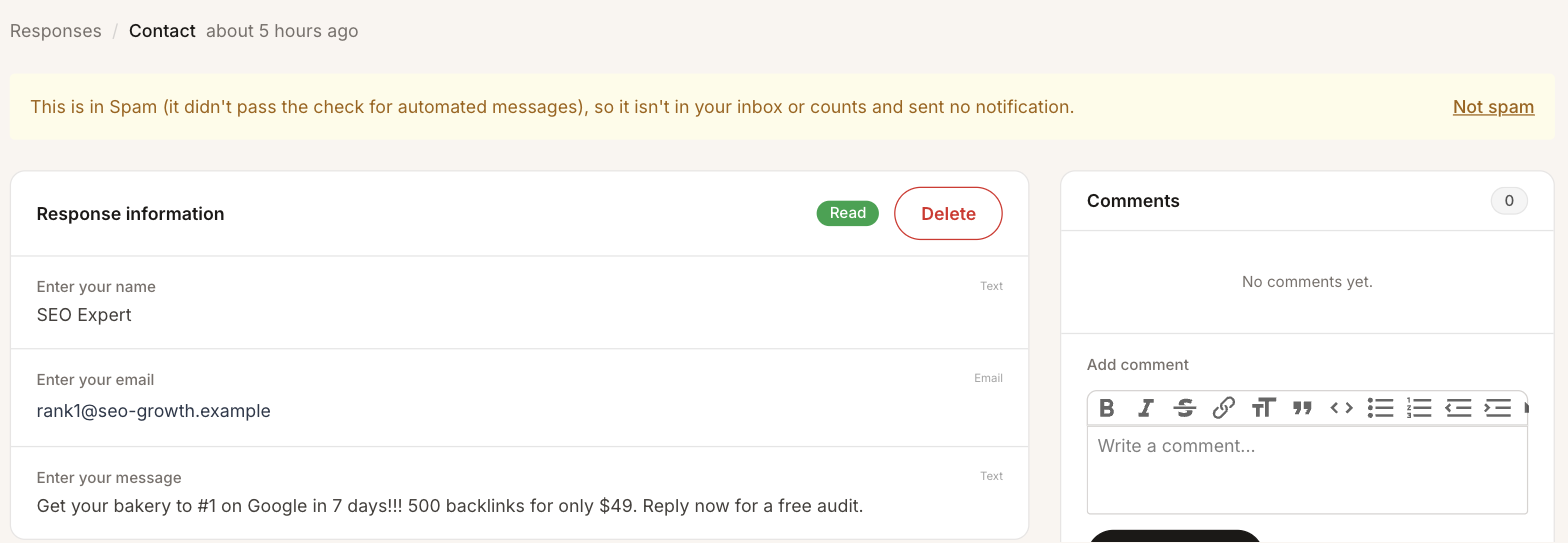 The note says why a message is in Spam. Not spam puts it back in the inbox.
Why spam isn’t deleted
Filters make mistakes. A deleted message that should have reached you is a lost customer, and you’d never know it happened. Keeping spam costs nothing, and it means the worst a mistake can do is make you look in one more folder. When you’re sure, you can still delete it.